Hey everyone! This talk is about a shift I've felt all year: anyone can ship now, and that changes what a designer's job is.
We'll cover why the old process is dead, how to work with PMs who now build too, how to ship fast, and finally what goes wrong and how to guard against it.
Introduction
Hey, I'mFurquan Lead Product Designer at Scale AI, previously at Meta. Based in London. I build my own products with AI: TrainTimesUK, Sahara Studio, AutoScout and more. Hulm Club, London AI Tinkerers, Doha Muslim Tech Fest, London Hulm Club, London Crescent Creatives Crescent Creatives Quick intro. I'm from London. I design at Scale AI, before that four years at Meta on Workplace, Horizon Events and Facebook Groups. I started at Ford on a degree apprenticeship at 18.
Outside work I build my own products with AI, so everything in this talk is stuff I've actually run into.
Chapter 01
The bar
Anyone can ship now. Speed and craft are both expected.
01
Everything is moving faster than ever
Photo: Felix yu, Unsplash
Everything is moving so fast right now. New models every few weeks, new tools every day, and the people around you are shipping while you're still deciding.
The process
The design process is dead We lead with prototypes now, not mocks and docs. Hold many ideas loosely. Stay anchored on the problem, and prune toward what works.
THE OLD WAY · ONE STRAIGHT LINE
Idea → Mocks → PRD Code → Launch → Iterate
THE NEW WAY · A LOOP
Prototype → Test → Learn → Prune
repeat until the prototype earns its place
Source: Jenny Wen (Anthropic), Julie Zhuo
Jenny Wen at Anthropic and Julie Zhuo, ex-Facebook, both say it: we lead with prototypes now, not mocks and docs.
The old way only got to iterate after launch, once months had gone into it. The new way is a loop from day one: prototype, test, learn, prune. Kill an idea if today's tech can't do it, if it won't be accurate, or if it's too slow for real use.
2026
Output exploded
200 %+ more code changes saved than two years ago (34.3 billion)
200 %+ more changes approved and added to products (1.3 billion)
CODE CHANGES STARTED BY AN AI AGENT
March 2026
17%
September 2026
40% Source: GitHub Octoverse 2026, Oct 2025 to Sep 2026
GitHub's Octoverse 2026. In the year to September, commits reached 34.3 billion, more than three times where they were two years ago. That's over 200% growth. Merged pull requests also more than tripled, to 1.3 billion, about 3.5 million a day. Developers pushed code 17.9 billion times, more than 2024 and 2025 combined.
And the share of pull requests started by an AI agent went from 17% in March to over 40% in September. GitHub says activity bent sharply upward around June, when agents went from something people tried to something they worked alongside.
But
80 % of features are rarely or never used More output doesn't mean more value. Now we can build the unused 80% faster than ever.
20% frequently or sometimes
80% rarely or never
Source: Pendo Feature Adoption Report, 615 products, 2019
Pendo studied 615 software products. Only 12% of features are used frequently and 8% moderately. 56% are rarely used and 24% never. That's 80% rarely or never.
More output doesn't mean more value. Now that building is cheap, we can make that 80% faster than ever.
Easier than ever
It's never been easier to build Sahara Studio: an AI voice tutor I built to practise Arabic in real scenarios. Voice models and Google sign-in, built on my own with AI. This is Sahara Studio, an AI voice tutor I built to practise Arabic in real-life scenarios: ordering shawarma, checking into a hotel. Voice models and Google sign-in, built on my own with AI.
Building it was the easy part. Getting people to use it was the hard part, and I'll come back to that.
The pressure
Speed and craft The scope of a designer's job keeps growing, and both are expected at once.
Pressure 01
Speed Prototype it, ship it, document it. This sprint.
Pressure 02
Craft When everyone can ship, quality is what people notice.
The scope of what's expected from a designer keeps growing, and speed is demanded more than ever. At the same time, accessibility, copy, polish and safety are still our job.
You can't do both alone. So the question is how other people can help unlock your capacity.
The hard part
Knowing what to build is the hard part Step up your product thinking and critical thinking. Don't wait to be told what to build. Help decide it. “Anyone can build and ship. So much code today is wasted.” Building got easy. Knowing what to build is still really hard. There's so much wasted code: features nobody needed, prototypes nobody tested.
As a designer, step up your product thinking and critical thinking. Instead of waiting to be told what to build, help decide it.
The polish trap
We're not just here to make it pretty Designers are being brought in at the end, to polish someone else's prototype. Advocate for a seat earlier, and grow your product sense.
What's happening
Idea
Prototype
Polish
Designer brought in
Where we should be
Idea
Prototype
Polish
Designer shaping the direction One problem we're starting to see now: designers get asked to come in right at the end of a project, with a prototype that's already built, to polish things up.
Being honest, that's grunt work. It's not the work designers want to be doing.
So we have to advocate for ourselves, and grow our product sense and our sense of direction. We're not just there to make things pretty.
Chapter 02
Build with
When generation is cheap, judgement is what's left.
02
When generation is cheap, judgement is what's left.
Rapid prototyping
Higher fidelity, same willingness to bin it Faster high fidelity doesn't mean we should latch on to it. Treat a vibe-coded prototype like a wireframe: easy to throw away.
LOW FIDELITY HIGH FIDELITY
Wireframe
Vibe-coded prototype
Same mindset: easy to throw away When it comes to rapid prototyping, here's the trap. We get attached to high fidelity ideas. Just because we can build higher fidelity quicker doesn't mean we should latch on to them.
Low fidelity wireframes are easy to discard. We need that same mentality with vibe-coded prototypes. Treat them as disposable, even when they look finished.
The upside is real: when we go to research, we now have a much better representation of what we can actually show users, so we get higher quality signals.
Prototyping tips
Start from inspiration References. Use tools like Mobbin, and connect MCPs for context.Meeting notes. They're a goldmine.Design system. Base it on the apps you're inspired by.Inspiration. Tell it what to start from.furquan101.com/guestboard
No design system. Just FigJam as the reference, plus context.
Some tips for rapid prototyping. Use tools like Mobbin for real app references, and connect MCPs so the agent has proper context to work from.
Your meeting notes are a goldmine. Everything that was decided, and why, is in there.
Use a design system, but always base it on the apps you're inspired by.
Take my FigJam-style whiteboard. I didn't feed it a design system to make this. I just gave it the inspiration, where to start from, and the context, and that's how we ended up with such a familiar result.
One could argue that's copying. For me it's fun experimentation, and there's only so much differentiation in a whiteboard. Look at Miro and Figma: they're very similar in so many ways.
Research
Tell people it's a prototype High fidelity makes participants polite. Polite feedback doesn't help. Change their mentality, and check your own bias too. “This is literally a prototype. Say whatever you want about it.” What to say before every session
There's a bias in user research with high fidelity prototypes. Participants think, oh, this looks finished, I don't want to be too critical.
So we need to change the participant's mentality as well. Tell them upfront: look, this is literally a prototype, you can say whatever you want about it.
And the same goes for us. We have our own biases and we get stuck in our ways. We need to move away from that.
The dopamine loop
The slot machine in your IDE Every prompt is a lever pull. Intermittent good output keeps you pulling. Output feels like progress, even when it isn't. Every prompt is a lever pull
Source: Anna Lembke, Dopamine Nation
Dopamine peaks in anticipation, not consumption. The rush comes from the next prompt, not the shipped product.
Every prompt is a lever pull, and intermittent good output keeps you pulling. Every prompt fires back something that looks like work, so you feel productive.
Pre-flight
Run the pre-flight checklist Problem. Is it real?Person. Who exactly?Scope. The smallest version?Quality. What does good mean?Direction. Are we heading the right way?⠐⡀⢂⠐⠠⠐⡀⢀⠀⡀⢀⠀⡀⠀⡀⢀⠀⢀⠀⡀⢀⠀⢀⠀⡀⠀⡀⢀⠀⢀⠀⡀⢀⠀⢀⠀⡀⠀⡀⢀⠀⢀⠀⡀⢀⠀⢀⠀⡀⠀⡀⢀⠀⢀⠀⡀⠀⡀⢀⠀⡀⠀⡀⢀⠀⡀⠀
⠐⡀⠂⠌⠠⠁⡀⠂⢀⠐⠀⡀⠀⡁⢀⠀⢈⠀⡀⠄⠀⡈⢀⠀⡀⠁⡀⢀⠈⠀⡀⠄⠀⡈⢀⠀⡀⠁⡀⢀⠈⠀⡀⠄⠀⡈⢀⠀⡀⠁⡀⢀⠈⢀⠀⡀⠁⢀⠠⠀⢀⠁⡀⠠⠐⠀⡀
⠐⠠⢁⠂⠄⠡⢀⠂⠄⠐⢀⠀⡁⠠⠀⢈⠀⠠⠀⠄⠁⠠⠀⡀⠄⠂⠀⠄⠠⠁⠀⠄⠁⠀⠄⠀⠄⠂⠀⠄⠠⠁⠀⠄⠁⠀⠄⠀⠄⠂⠀⠄⠐⠀⠠⠀⠌⠀⠠⠈⠀⠠⠀⠐⢀⠂⠀
⠈⡐⠠⠈⠠⠁⡀⠂⠠⢈⠀⠄⠐⠀⠂⠠⠈⢀⠐⠠⠈⠠⠐⠀⡐⠠⠁⡀⠂⠄⠁⡐⠈⠠⠈⢀⠐⠠⠁⡀⠂⠄⠁⡐⠈⠠⠈⢀⠐⠈⡀⠂⠈⠄⠁⡐⠠⠈⢀⠂⠁⠄⠁⠂⠠⠐⠀
⢀⠐⡀⠂⢁⠀⡐⠠⠁⠠⢀⠐⠈⡀⠌⢀⠂⠠⠐⠀⠂⢁⠐⠀⠄⡐⠀⠐⠠⠐⠀⠄⠂⠁⡐⠀⡐⠀⠂⠠⠐⠀⠂⠄⠂⠁⡐⠀⠠⠁⡀⠄⠡⠐⠀⠄⡀⠂⠄⠐⠈⡀⠂⠁⡐⠠⠀
⠀⢂⠠⠐⠠⠀⠄⠂⠈⠄⠠⠀⡁⠠⠀⠄⠠⠁⠠⠁⢈⠀⠄⠈⡀⠄⠈⠄⢁⠠⠈⡀⠂⢁⠠⠐⠀⠌⠀⡁⠄⠡⠀⠂⠈⠄⠠⠈⠠⠐⠀⠠⠐⢀⠈⠀⠄⠐⠈⠠⠐⠀⠌⢀⠐⠀⡀
⠀⢂⠀⠂⡁⠄⠠⠁⡈⠐⢀⠂⠐⡀⠁⡐⠀⠂⢁⠐⠀⢂⠈⡀⠄⠂⡐⠈⡀⢀⠂⠄⠂⠠⢀⠂⠈⠄⠂⡀⠐⢀⠂⠁⠂⡀⢁⠐⠀⠂⠁⡐⠀⠄⠠⠁⡀⠂⢁⠐⠀⡁⠄⠂⡀⠂⠀
⠐⠠⠈⠐⢀⠐⠀⡁⠠⢈⠀⠄⠂⢀⠂⠠⠈⠐⠀⠂⢈⠀⠠⠀⡐⠀⠄⠐⠀⠄⢀⠂⠄⠁⠠⠐⠀⠂⠄⠐⠈⢀⠠⠁⢂⠀⠄⠠⠁⠈⠄⠀⠄⠂⢀⠐⠀⠐⠠⠀⠂⡀⠄⠂⠐⠀⠁
⠀⢁⠀⠁⠆⠀⠆⡀⠁⢀⠀⠆⠈⠀⡀⠁⠰⠈⢀⠁⠀⡈⠀⠁⠀⠆⠈⠀⢁⠈⠀⡀⠆⠁⠰⢀⠁⠈⠀⡈⠰⠀⡀⠆⢀⠀⡈⠀⡀⠁⠀⠆⢀⠰⠀⢀⠈⠀⢁⠀⠆⢀⠀⡈⠰⠈⠀
⠐⡀⢈⠐⠠⠈⢀⠐⠈⡀⠄⠂⠈⠄⠀⠄⠁⠠⠀⠠⠁⠠⠐⠈⢀⠂⠌⠐⠀⡀⠂⠄⠠⠈⠄⠠⠀⡁⠂⢀⠐⠀⠠⠐⠀⠠⠀⠂⠀⠄⠁⢠⡶⠶⣾⡦⠀⢈⠀⠄⠐⡀⠄⠀⡐⠠⠀
⠀⡐⠠⠐⠀⠂⠠⠈⠐⠀⠄⢈⠠⠀⢁⠠⠈⠀⠌⠀⠄⠁⠠⠈⠀⠄⡀⠌⠀⠄⠐⡀⠁⠄⠐⠠⠐⠀⡐⠀⠌⠀⡁⠄⠈⡀⠄⠁⡀⠂⣨⠟⠀⣸⣿⠃⡀⠂⠠⠈⠀⠄⡀⠁⠠⠀⠄
⠠⠐⢀⠈⠄⢁⠠⠈⡐⠈⠀⠄⢀⠂⠄⠐⠀⡁⠠⠈⢀⠈⡀⠄⠁⠠⠀⠠⠈⢀⠐⠀⠂⢈⠀⠂⠠⠁⠀⢂⠀⡁⠀⠄⠂⠀⠄⠂⠀⣴⠏⠀⢀⣿⡟⠀⢀⠐⠀⠂⢁⠀⠄⠂⢁⠠⠀
⠀⠌⡀⠐⠈⡀⢀⠂⠀⠌⢀⠈⠀⡀⢄⣂⣄⡀⠄⠁⡀⠂⠄⡀⠌⠀⠄⠁⠐⠀⠠⠈⠀⠄⠂⠁⡐⠈⠀⠄⠂⠀⡐⠀⠠⠁⢀⠐⣼⠃⠀⠀⣸⣿⠃⢀⠠⠀⢈⠐⠀⠄⠂⠐⢀⠠⠀
⠀⠂⠄⠁⢂⠠⠀⠄⠡⠀⠂⠀⠁⠺⢿⣏⠉⠛⠲⢦⣀⡠⠀⠀⠄⠁⠂⡈⠄⢈⠀⡁⠈⡀⠄⠁⡀⠄⠁⠂⢀⠁⠀⣸⣷⡞⠲⣾⠃⠀⠀⢠⣿⡿⣆⠀⢀⠐⠀⠠⠈⠀⠄⠁⠠⠀⡀
⠈⡐⠈⢀⠂⠀⠄⡈⠠⠀⡁⠈⠀⠌⠈⠻⣷⣆⡀⠀⠈⠙⠳⠮⣤⣐⠀⢀⠐⠀⠂⢀⠐⠀⡀⠁⣀⣀⣂⣌⣤⣶⡴⠴⠿⠟⠻⠷⢶⣿⣫⣽⠿⠶⠿⢤⣤⣀⡈⠀⠄⠁⠂⠈⡐⠀⠀
⠀⡐⠈⢀⠐⠈⢀⠐⠀⢂⠀⠄⠁⠠⠈⢀⠘⢿⣿⣦⡀⠀⠀⠀⠀⠉⠛⠶⣤⣆⣬⡤⠶⠶⡞⠻⠛⠉⠉⡃⣁⡈⣼⣆⠀⠀⠀⠀⠛⣿⣿⡿⢷⣶⣶⣤⣤⣉⣽⣷⠶⠀⠈⠄⠠⠈⠀
⠀⠐⠠⠀⠌⠀⠄⠠⠁⢀⠀⠂⠈⢀⠐⢀⣀⣀⣙⣿⣿⡶⠴⠶⠒⠛⠛⠋⠉⠁⠀⢀⠀⣄⡂⣷⣰⣷⡼⣿⣻⣿⠻⠿⠀⢀⣠⣶⡿⠟⠋⠀⠀⠀⠀⠉⠉⠉⠁⠀⢀⠠⠁⢀⠂⢈⠀
⠀⠡⢀⠈⡀⠂⠈⢀⠂⠀⠄⢈⣤⠶⠛⠋⠉⠉⠉⠀⢀⠀⢀⠆⢀⣂⣀⣧⡀⣾⡦⢾⣿⢿⡧⣳⣿⣻⣇⣉⠀⣠⣤⡴⣿⡿⠛⠉⠀⠀⠐⠀⡁⠈⠐⡀⠂⡀⠂⢁⠠⠀⠂⡀⠐⠀⡀
⠀⠐⡀⠐⠀⠠⠁⡀⠠⢈⣴⣏⡁⠀⡀⠀⠀⠀⠀⠀⠸⣿⣿⣷⡀⠿⠏⢻⣗⣽⣿⣼⠿⠟⠛⠉⠉⠀⠈⠉⠛⠷⢷⣞⡁⠀⠄⠐⠀⠡⠀⠂⠀⡁⠄⠀⠁⡀⠌⠀⠠⠀⢁⠀⠌⠀⠀
⠀⠐⠀⠄⠁⠄⠐⢀⣴⡟⠛⠿⠿⠽⠿⠀⠀⠀⠀⠀⠀⢿⣿⣿⣇⠀⠀⠘⠿⣿⣿⣿⣶⣦⣤⣀⡀⠀⠀⠐⠀⠀⠀⠈⠙⠓⠶⣄⣈⠀⠄⠁⠂⢀⠠⠁⠂⢀⠐⠈⠀⠡⠀⡀⢂⠈⠀
⠀⠈⠄⠈⡀⠄⢸⣿⣻⣿⡄⠀⠀⠀⠀⠀⠀⠀⠀⠀⠀⣸⣿⠟⣣⣄⣲⣶⣵⠿⠿⠛⣹⣿⣿⣿⣿⣿⣶⣦⣤⣀⣀⠀⠀⠀⠀⠀⠉⠙⠶⢦⣌⣀⠀⠐⠈⠀⠐⠈⡀⠐⡀⠠⠀⡐⠀
⠀⢈⠀⠂⡀⠠⠈⠻⣿⣿⣇⡤⣦⣤⣤⣤⣶⣴⣶⣾⣿⠬⠿⠞⠛⠉⠉⠀⠀⠀⢀⠠⣿⣷⣿⣿⣿⡟⠙⢛⣿⠿⠿⣿⣶⣶⣤⣄⡀⠀⠀⠀⠈⠉⠛⠶⣤⣁⡀⠂⠀⢁⠠⠐⠀⠠⠀
⠀⢀⠂⠐⠀⡐⠀⡀⠀⠈⠉⠉⠛⠛⠛⠋⠉⠉⠉⠀⠀⡀⠠⠀⠠⠐⠀⡁⢈⠠⠀⢀⠙⢿⣾⣿⣿⠷⠖⠋⠁⠀⡀⠀⠈⠉⠛⠛⠿⢿⣷⣶⣤⣄⣀⠀⣀⣩⡿⠗⠈⠀⠠⠐⠈⠀⠄
⠀⠠⠀⢁⠂⢀⠐⠀⡁⠐⢀⠂⠀⠄⠀⡐⠀⢂⠠⠁⡐⠀⠄⠁⡀⠂⠁⡀⠠⢀⠐⠀⠠⠀⠁⠀⠀⠀⡀⠄⢈⠀⡀⠁⠂⠁⠠⢀⠀⡀⠀⠈⠉⠙⠛⠉⠉⠀⡀⠄⠁⡈⠀⠄⡁⠈⠀
⠀⠂⢁⠀⢂⠀⠐⠠⠀⠌⠀⠠⠁⠈⠄⠐⠈⠀⠄⠂⠀⠌⠠⠐⠀⠄⠁⠠⠐⠀⠠⠈⠄⠐⠈⠀⠂⠁⢀⠀⠂⠠⠀⠁⠂⠌⠀⠄⠠⠀⠂⠁⡐⠀⠂⠐⠈⠀⠄⠀⠂⢀⠁⠠⠐⠀⠁
⠀⢁⠀⠰⢀⠀⠈⠰⢀⠈⢀⠰⠀⠁⠀⠆⠈⢀⠰⠈⠀⠰⢀⠀⠆⡀⠈⢀⠰⠈⠀⠁⢀⠈⠀⠁⢀⠁⠀⠰⠈⠀⠈⡀⠁⢀⠈⠀⠆⠁⡀⠁⢀⠰⠈⠀⠁⠈⢀⠈⠰⢀⠀⠁⡀⠈⠀
⢀⠂⠈⠄⠠⠐⠈⡀⠄⠐⠀⡀⠂⠁⠄⠈⠠⠀⠠⠐⠈⠀⠄⠀⠂⠠⠐⠀⠠⠀⠌⠀⠄⠠⠈⠠⠀⠄⠂⠁⢀⠈⢀⠀⠐⠀⠠⠈⢀⠐⠀⠌⠀⠠⠀⠡⠈⢀⠂⠠⠀⠄⠐⠀⡐⠀⠂
⠀⠄⠡⠀⠡⠀⠂⠄⠐⢈⠠⠀⠌⠀⠌⢀⠁⠌⠀⠂⢁⠈⠠⠁⠈⠄⠠⠁⠄⠁⠠⠁⡀⠂⠁⠄⡐⠠⠀⠡⢀⠈⡀⠌⠐⠈⡀⠐⡀⠄⠂⠠⠈⡀⠄⠁⠠⠀⠄⡐⠠⠈⡀⢁⠠⠐⠀
⠈⡀⢂⠈⠄⡀⠡⠈⠐⡀⢀⠂⠠⠁⠂⡀⠂⠐⠈⡐⠀⡈⢀⠂⢁⠐⠀⢂⠈⢀⠁⡐⠀⠄⡁⠠⢀⠐⡀⠁⠠⠐⠀⠄⠂⢁⠀⢂⠀⡐⠀⡁⠐⢀⠐⠈⡀⠂⡐⠀⠐⡀⠐⡀⠠⠐⠀
⢀⠐⡀⠐⡀⠠⢀⠁⢂⠠⠀⠄⠁⡐⠠⠐⠈⢀⠁⠠⠐⠀⠄⠀⠂⠠⠁⢀⠂⠄⠐⡀⠄⠂⠠⠐⠀⠄⠠⠈⠄⠐⠀⠂⠄⠂⢈⠀⠄⠀⠂⠠⠈⠀⠄⠁⠠⠐⢀⠈⠄⠐⡀⠄⠐⠠⠀
⠀⢂⠀⡁⠄⠠⠀⠂⠄⠐⠈⢀⠂⠄⠠⢀⠡⠀⡈⠄⢀⠡⠈⢀⠁⠂⢈⠀⠄⠈⡀⠄⡀⠌⠀⠄⠁⠂⠄⠁⡐⠈⠠⠁⠠⢈⠀⠄⢈⠠⠁⠄⢁⠈⠠⠈⠄⠐⠠⢀⠈⠄⠀⠄⠡⠀⡀
⠀⠂⠄⡀⠂⠄⢁⠈⠠⢈⠐⢀⠀⢂⠐⠀⡀⢂⠀⡐⠀⡀⢂⠀⠂⡁⠀⢂⠈⡀⠄⠐⠀⡐⠈⡀⠌⠐⠀⢂⠀⠂⠁⠄⡁⠀⢂⠈⠀⠄⠂⠐⡀⠂⡀⢁⠐⠈⠠⠀⢂⠀⡁⠂⠐⢀⠀
⢀⠁⠂⠐⠠⠐⢀⠈⠄⠠⠀⠂⡀⠂⢀⠂⠄⠠⠀⠄⠂⠠⢀⠐⠠⠀⢁⠠⠀⠄⠠⠁⠂⠠⠐⠀⠄⠂⠁⡀⠂⠌⠀⠂⡀⠌⠀⡐⠈⢀⠂⠐⢀⠐⠀⠄⠂⢈⠐⠠⠀⠂⠠⠀⠡⠀⠀
⠄⠌⠰⠁⠆⠄⠂⠠⠈⠀⠄⠁⢀⠐⠀⠠⠐⠀⠁⡀⠂⠁⡀⠀⠂⠁⡀⠠⠈⢀⠐⠀⠁⡀⠂⠈⠀⠂⠁⢀⠐⠀⠁⠠⠀⠐⠀⡀⠌⠀⡀⠁⠠⠀⢈⠀⠐⠀⡀⠂⢀⠁⡀⠁⠐⠈⠀ Pilots never skip it
Think about a plane. If it's going the wrong way once it's already set off, you're in trouble. That's why pilots run the pre-flight checklist before the plane leaves. They check they're going the right way and following the right procedures, and they never skip it. Otherwise you end up in the wrong place.
In a world where people can reverse-engineer things so quickly, it's really important to make sure you're going in the right direction. It can be even more unforgiving, with the companies around you, if you don't get it right.
Fifteen minutes of clarity saves fifteen hours of rework.
Pseudo-productivity
AI inflates the output, not the judgement A manager can't tell judgement applied from judgement skipped. Both look the same.
Output Judgement
Time Illustration, not data
Source: Cal Newport, Slow Productivity
Cal Newport calls it pseudo-productivity: activity that looks like work.
A manager can't tell judgement applied from judgement skipped, because both produce the same-shaped artifact. Lines of code go up every week. Human judgement doesn't speed up.
Craft is the moat
Craft isn't a choice. Be intentional about it. When generation becomes cheap, craft and judgement become the only real moat. Intuition is compressed experience. AI can't fake the years behind it. Every ring, a year of judgement
Source: Karri Saarinen, Linear
When generation becomes cheap, craft and judgement become the only real moat. Karri Saarinen, co-founder of Linear, says craft isn't a choice, it's about being intentional.
Intuition is compressed experience. AI can simulate output. It can't simulate the years that tell you this output is wrong even when it looks right.
Dogfooding
Live the problem, every single day I built TrainTimesUK for my own commute and hit every bug myself. I shipped fewer features. The product got real. 26 errors in March
3 errors by late May
Source: TrainTimesUK, PostHog
I built TrainTimesUK for my own commute. Wrong platforms, departures that wouldn't load, API errors. I hit every one of them myself.
Instead of four half-built features at 80%, I went deep on a few. In March: ten users and twenty-six fetch errors. By the final week of May: 3 errors and 0 rage clicks, while visitors kept climbing.
Four moves
Four moves AI can't make for you Build intuition first, then build with intention.
01 Dogfood Use it daily. Watch the replays.
02 Research Real complaints, real customers.
03 Craft The eye over the hand.
04 Preview Ship in preview. Learn in public.
Dogfood: use your own product daily and watch session replays. Research: scrape Reddit, X and LinkedIn for real complaints, and talk to real customers. Craft: use the psychology, like Hick's Law and social proof. Preview: ship in preview like Anthropic does, and learn in public.
Chapter 03
Unlock your
PMs who build can be extra capacity, not extra work.
03
PMs who build can be extra capacity, not extra work.
Roles have changed
PM roles now ask for prototyping You're swamped. The PM has an idea. Let them build it. A PM prototyping their own idea is capacity you didn't have last year.
What PM job posts now ask for · example
Prototype ideas with AI tools Ship small changes yourself Work in the code alongside design and engineering You're already on another project. The PM wants to try something. In the past that meant waiting for you. Now they can prototype it themselves.
The expectations of roles have changed. I'm starting to see PM roles list the ability to prototype and ship.
Give them tools
Don't stop PMs building. Give them the right tools. Your design system, plus skills: one orchestrator, four specialists.
design-orchestrator
Content design UX research Brand + design system QA tests
You write them once.
Every PM gets your judgement. Instead of trying to stop product managers from building or prototyping, help them do it well. That means your design system and the right skills.
A skill is a set of written instructions Claude loads when the task needs it. The orchestrator reads the PRD and the diff and decides which specialist runs.
How it works
The orchestrator and its sub-agents A skill is a written playbook. When it runs, the main agent becomes the boss. It sends sub-agents off with one job each, and they report back before anything ships.
Orchestrator the boss
Content sub-agent Design system sub-agent UX research sub-agent QA sub-agent
each one reports back
Pass or fail?
Fail: fix and run again · Pass: send for review So what is a design orchestrator skill? A skill is a written playbook that Claude loads when the task needs it. When the orchestrator skill runs, the main Claude session becomes the boss.
It reads the PRD and the diff, then sends out sub-agents, each with one job: a content design check, a design system check, a UX research check and a QA run. They go off and do their tasks in parallel, then they all report back to the boss.
The boss decides. If anything fails, it fixes it or tells you what's wrong, and runs again. Only when everything passes does the work move on.
What they know
Give every specialist your context Content design. How your brand writes. Words to use, words to avoid.Design system. Brand tokens, design tokens, real components only.UX research and QA. Past findings, flows to test, screenshots.## content-design
Voice: plain, warm, British spelling
Use: "sign in", "save", "try again"
Avoid: "leverage", "seamless", "oops!"
## design-system
Brand tokens: colour.brand, font.display
Design tokens: space.4, radius.md, text.body
Components: src/components/ui only
Never: raw hex values or one-off CSS Excerpts from two specialist skills
Each specialist needs your context, or it just guesses. The content design skill holds the way your brand writes: your tone of voice, the words you use and the words you never use.
The design system skill holds your brand tokens and design tokens, colour, type, spacing, radius, and the rule that it only uses your real components, never raw hex values or one-off CSS.
This is the stuff that lives in a designer's head. Writing it down is what lets a PM's prototype come out looking and sounding like your product.
The gate
A gate before anything ships Before the agent can send its work for review, the checks have to pass. It's not perfect, but it gives the agent far more context than a one-line prompt. 01 Agent finishes The change is ready
02 Checks run Content, design system, tests
03 Fail It goes back and fixes it
04 Pass Only now can it go for review
Set up once, runs automatically
Then you make it a gate. Before the agent can send its changes off for review, what engineers call a pull request, the orchestrator's checks have to pass. If they fail, the agent goes back and fixes things first.
Technically this is a small script that runs automatically before the agent tries to push its work. You or an engineer set it up once.
It's by no means perfect. It won't catch everything, and it doesn't replace a human review. But it's a much better step in the right direction, because the agent works with far more context than a one-line prompt.
Why it helps
What PM prototypes are for The point isn't to ship their prototype. PMs will inevitably be building. So collaborate with them closer than ever. Review prototypes together early, before they harden into plans.
01
More ideas We don't ship their prototype. It shows what the product could be.
02
Faster buy-in Roadmaps get agreed sooner when people can click the idea.
03
Closer work They're going to build anyway. Shape it with them, early.
The expectation isn't that we ship the product manager's prototype. It's that we get more ideas of what this could be, and we get buy-in on roadmaps a lot faster.
And let's be honest: PMs are inevitably going to be building. The tools are right there. So the answer isn't to gatekeep. It's to collaborate with them closer than ever.
Sit with them while they prototype. Review it together early, before it hardens into a plan. Give them your design system and your skills, so what they build already looks and sounds like the product.
Roadmaps
Roadmaps go redundant faster than ever 8 frontier model launches in under ten months. Each one changes what's possible. A roadmap you agree today can be redundant in three months. So work as closely with PMs as you can. Opus 4.5 24 Nov GPT-5.2 11 Dec Opus 4.6 5 Feb Gemini 3.1 Pro 19 Feb Opus 4.7 16 Apr GPT-5.5 23 Apr Opus 5 24 Jul Opus 5.5 22 Sep NOV 2025 SEP 2026 8 frontier model launches in under 10 months
Source: Anthropic, OpenAI and Google launch posts
Here's how fast it's moving. Between Claude Opus 4.5 in November 2025 and Opus 5.5 in September 2026, there were eight frontier model launches across Anthropic, OpenAI and Google. That's less than ten months.
Each one shifts what a model can actually do. Opus 5.5 is the clearest example: one early tester finished a 680,000-line code migration in under a day, and when testers had several models build a game from one prompt, it scored highest for graphics and polish.
Models keep getting better at the things designers care about: planning, polish and taste. So redundancy is faster than ever. A roadmap you agree today might already be out of date in three months.
That's why you need to collaborate as closely as possible with product managers right now.
Feedback
Give feedback in one place Commenting on a coded prototype is harder than on a Figma file. So I built a feedback button into Sahara Studio. Press send and a Linear ticket is created, screenshot and all.
SAH-142
Voice session stops after 30 seconds
Bug Feedback Prototype
Status Source In-app feedback Page /practice/voice Tried a voice session on my phone. It stopped mid-sentence after about 30 seconds. Expected it to keep listening.
screenshot.png Marked up, attached automatically
One great thing about Figma was that anyone could leave a comment, right on the design. With coded prototypes on a preview link, that's become harder.
And if PMs are going to keep building, we need a way to give each other feedback on what's built, quickly. So I built a feedback button into Sahara Studio.
Anyone can pick a category, describe what happened, and attach a screenshot they can mark up. Press send, and a Linear ticket is created straight away, with the labels, the page it came from and the screenshot attached. No copying things across.
That's async feedback in one central place. Without one, feedback ends up scattered across Slack, email and meetings, and it gets lost.
Design system
Hand over your design system Components. Real parts, not raw HTML.Tokens. Colour, type and spacing.Tone of voice. So the copy sounds like you.
Your tokens and components, ready for every prompt
Give them your design system, not a blank canvas. A component library like shadcn/ui so the agent reuses real parts, your tokens as variables, and your tone of voice guide.
These are components from my own site's design system: the pastel colours, the thick black borders, the fonts. When Claude builds with these, the result looks like my product from the first prompt, not like every other vibe-coded site.
Copy this
An orchestrator skill A boss skill plus four specialists, and a script for the checks a machine does better. Tone of voice adapted from Monzo's public guide; design system from my site. Swap in yours. design-orchestrator/
SKILL.md routes the change
references/
content-design.md tone of voice
design-system.md tokens, components
ux-research.md patterns, edge cases
qa.md tests, secrets
scripts/
check_tokens.py flags raw colours Download it at furquan101.com/ship-safe
Here's the full skill, free to download from the talk page. The orchestrator reads the brief and the diff, then decides which specialist runs.
The tone of voice is adapted from Monzo's public tone of voice guide, and the design system is my own site's tokens and components. Swap both for your product's, and keep the structure.
There's a small script that flags raw colours and fonts that should be tokens, because some checks are better run than eyeballed.
And the line that matters most: it reports what failed. It doesn't fix things silently on its own.
Context is fuel
More context, better results The more context you give, the better the result. I record my meetings in Granola and feed in the PRD from Notion.
Granola notes Notion PRDs Tone of voice Design system Claude I record all my meetings in Granola, so Claude knows what was decided and why. Feed in the PRD from Notion, not just a one-line prompt. Your tone of voice guide becomes the content check.
Connect it
Connect Figma to Claude Claude reads your real tokens and components. Every connection is access: only connect tools you trust, and give them as little as they need.
Figma
MCP
Claude Code
Real tokens, real components, checked against the design With the Figma MCP connected, Claude reads a frame's layout, variables and assets, and can check its build against the design. Code Connect maps Figma components to the ones in your codebase.
The security side: each MCP server is another door into your machine. Trust it, scope it, approve tool calls yourself.
Chapter 04
Ship with
Once the right set-up is in, you can actually go fast.
04
Once the right set-up is in, you can actually go fast.
The boring work
The boring work got fast Documentation. Claude documented my whole website and gathered every screenshot.White-labelling. A whole site rebranded, with a new name, colours and copy.Translation. An entire website, Arabic to English.furquan101.com
Claude documented my website and gathered every screenshot. White-labelling a site so a client project can be shown publicly. Translating an entire site from Arabic to English.
Still review it. Translation especially needs a native speaker's eye.
Visuals
Image models for the visuals Describe it like a director, not with buzzwords like “8k”.
Medium Subject and position Setting and light Framing Made with a six-slot prompt
For illustration and images, use image models. Describe it like a director, with the six slots from my last workshop: medium, subject, position, setting, light and framing. Words like 8k or masterpiece don't help.
Models
Don't pick just one model Same prompt, three models, three different answers. Compare, then take the best parts.
61 % of GitHub Copilot users used more than one model
Source: GitHub Octoverse 2026, September 2026
In my Doha talk I ran the same prompt on three frontier models and got three different answers. Each one got different things right.
GitHub found 61% of Copilot users used more than one model in September 2026.
Chapter 05
Build
If work won't change how it works, change yours.
05
If work won't change how it works, change yours.
Change how you work
Change your ways of working It might feel intimidating. The only way past that is to start, on your own ideas. It's not as hard as you think. Seeing what agents can do gives you the confidence. Without: 1× 1× Without With: 8× 8× With Code changes per new project, set up for AI agents vs not
Source: GitHub Octoverse 2026
If your company isn't adopting this AI way of working, don't wait. Start your own side projects. People are running loops around you.
It might feel intimidating. The only way to get over that fear is by starting, on your own ideas. Until you take that first step, it's always going to feel like this.
But it's not as hard as you think. Once you really see what agents are capable of, it gives you way more confidence in what you can do.
GitHub found new repos with an agent configuration file logged eight times as many commits as new repos without one.
My side projects
What I've built TrainTimesUK Runner Journal Arabic Workbook Guestboard Sahara Studio and AutoScout TrainTimesUK Runner Journal Arabic Workbook Guestboard
These are some of mine. TrainTimesUK, a running journal with an AI coach, an Arabic workbook, and a FigJam-style guestboard on my site. Plus Sahara Studio and AutoScout.
Every one taught me something my day job couldn't.
Prompt to product
One prompt, then iterate Each of these started as one plain-English prompt. The first prompt is the easy part. The iterating after it is the work. traintimesuk.co.uk Build a live departures board for my commute. Show delays first, and make it load fast on my phone.
autoscout.fyi Before I buy a used car, pull its MOT history and common faults, and tell me in plain English if it's worth it.
saharastudio.cc Make a voice tutor that lets me practise speaking Arabic out loud, and corrects me gently.
arabicworkbook.ink Turn my tutor's PDF workbook into a site with audio and practice for every lesson.
Example prompts: each one was the first of hundreds
Here's what rapid prototyping looks like for me. Every one of these started as a plain-English prompt, roughly like the ones on screen.
TrainTimesUK started as a departures board for my own commute. AutoScout came from not wanting to buy a used car blind. Sahara Studio was me wanting to practise speaking Arabic out loud. And the Arabic Workbook turned my tutor's PDF into something you can actually use.
But the first prompt is the easy 10%. Each one took days or weeks of iterating after that: testing it on myself, fixing what broke, and deciding what to cut. That's the part that makes it real.
Missed the market
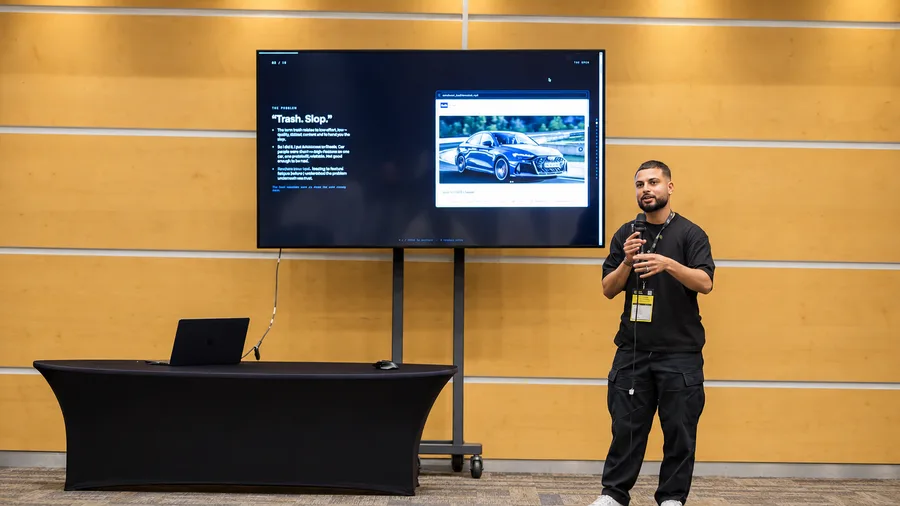
“Trash. Slop.” Reddit, on AutoScout. Eight features on one site. None past 80% reliable. AutoScout was a car website. I posted it on Reddit and car people were blunt: trash, slop. They were right. Eight features on one site, none of them past 80% reliable.
Shipping it was right. Moving to the next feature before I understood the problem was not.
Missed the market
Sahara Studio: 193 visitors It's never been cheaper to build. It still missed the market I was going for.
Visitors 193 Tried Google sign-in 8 Started a voice session 5 Source: PostHog, Sahara Studio, Oct to Nov 2026
Sahara Studio, PostHog since mid-October: 193 visitors, 8 people started a Google sign-in, and 5 started a live voice session. It didn't land with the market I was going for.
No regrets
I'm not discouraged I learnt a whole stack my day job never asked for. Every product taught me something, even the ones nobody used. Build React, Vite, Astro, Claude Code, Codex
Data and APIs Supabase, Row Level Security, live rail APIs, scraping
Sign-in and payments Google sign-in, auth, Stripe
AI Voice models, image models, MCP servers
Ship Vercel, git worktrees, pull requests, secret scanning
Test and learn Playwright end-to-end tests, PostHog, email funnels
I'm honestly not discouraged that people didn't use some of these products. I challenged myself so much, and I learnt a whole stack I'd never have touched in my day job.
How to call APIs, like the live rail data behind TrainTimesUK. How to build securely, with Row Level Security in Supabase and secret scanning. What Playwright is and how to run end-to-end tests. How to work in git worktrees so agents can build in parallel. Google sign-in, Stripe payments, voice models, email funnels, scraping and PostHog analytics.
None of that came from my day job. It came from building my own things.
Job interviews
In interviews, expect this question When you're job hunting, it's now a standard interview question. Bring your own AI build projects. Next year, no AI case study means you look outdated. The interviewer asks
“What's your AI build process?” Have a real project ready to walk through
If you're looking for a new role, this is the question you'll get now. In interviews it's become standard to ask how you build and what your AI build process is.
To stand out, you need your own AI build projects you can walk through: what you built, which tools, what went wrong and what you learnt.
Next year, if you're not talking about AI builds and AI case studies in interviews, you're going to look outdated.
Then and now
We moved slower, with intention If you're junior: you're not latched on to old biases. That's what companies want.
Two years ago
Slow We sweated every detail, and we moved with intention.
Today
Fast I don't think we always move with intention.
We've started talking about projects from less than two years ago like a nostalgic process. We sweated the details and it felt slow and archaic compared to today.
But we moved slower with intention. Today I don't think that's always the case.
If you're junior, it's hard to find a role, but you come in with fresh ideas and you're not latched on to the old biases. If you're attached to old paradigms, they can slow you down.
Try it
I reverse-engineered FigJam Add a sticky: one thing you'll try this weekfurquan101.com/ship-safe/board
furquan101.com/ship-safe/board
I reverse-engineered FigJam and built it into my own site. This is a fresh board just for this talk, and it's live right now.
Scan the QR code at the end or go to furquan101.com/ship-safe/board, and add a sticky with one thing you'll try this week. I'll demo it here: click into the board to use it, and click outside it to carry on with the slides.
Chapter 06
Guardrails
Set the safeguards up once. Let them run on every change.
06
Checks
Run the checks before you ship On every change, whoever made it. The last step stays human. 01 Content Tone of voice
02 Design system Tokens and components
03 Testing Automated tests click through it
04 Secrets Scan for passwords and keys
05 Access Who can see which data
06 Human review Someone who can read the code
Content checks with your tone of voice fed in. Design system checks. Playwright end-to-end tests. Then the security basics: a secret scan and access rules on every table.
The last step stays human. AI checks don't replace someone who can read the code.
Protect the live product
Protect the live product A few protections your engineers can set up in an afternoon.
01 Review Every change is checked by someone before it goes live.
02 Owners The instruction files agents follow have a named owner.
03 Secrets Every change is scanned for passwords and keys.
04 Ask once Your engineers set this up one time.
Ask your engineers to set these up once. Every change goes through a review before it reaches the live product, which engineers call the main branch.
The instruction files agents follow, like CLAUDE.md, get a named owner, because if someone can edit those files, they can change what the agent does. And every change is scanned for passwords and API keys before it's saved.
What the AI can see
Guardrails on what the AI can see Decide what the AI can reach before it starts. Client data and the live database stay off limits. Password-protect prototypes by default. An open preview link can leak client information. client-prototype.vercel.app
This prototype is private Password
View prototype
Can see The code, test data, the design system
Ask first New connectors, shared drives, analytics
Never Client data, the live database, API keys
Before you start, decide what the AI is allowed to reach. Your code, test data and the design system are fine. New connectors, shared drives and analytics are worth a second look before you switch them on.
Client data, the live database and API keys stay off limits. Use made-up test data in prototypes, never a copy of real customer records.
And password-protect your prototypes by default. A preview link is just a URL, and URLs get forwarded, posted in Slack and indexed. If there's client information in that prototype, an open link is how it leaks. Every client prototype I build sits behind a password.
Work together
Give PMs a sandbox, and stay close Stay informed. Know what the PM is building.Work together. Review and polish it side by side.Check in regularly. Short and often.Have one way to give feedback. Not scattered across chats.01 Prototype Sandbox or preview link
02 Design review Polish it with the orchestrator
03 Spec The prototype becomes the spec
04 Engineers ship Through the normal checks
The risk is shadow vibe coding: PMs pushing code nobody reviewed. Give them a sandbox or a preview link instead, somewhere to play that can't break anything.
But the sandbox only works if you're close. Close collaboration is key. Keep each other informed, work on it together, have regular check-ins, and have one clear way to give feedback. Then the prototype goes to engineers as the spec, and a working prototype is a much clearer spec than a doc.
Chapter 07
What goes
You don't need to be technical, just aware. Every example here really happened.
07
You don't need to be technical, just aware. Every example here really happened.
The happy path
Models finish the happy path AI writes code that works when everything goes right. If nobody reads the code, nobody catches the gaps. Tasks with a flaw: 45% 45% Tasks with a flaw Failed a web attack test: 86% 86% Failed a web attack test Source: Veracode GenAI Code Security Report, Jul 2025
Veracode tested over 100 models on 80 coding tasks. In 45% of them the code had a security flaw, and 86% failed a common test where an attacker sneaks code into a web page.
AI writes code that works when everything goes right. It doesn't ask who else can see the data, or where the passwords are kept. If nobody reads the code, nobody catches it.
Real incidents
It's already happening Four public incidents, all from missing basics.
Moltbook · 2026 1.5M API tokens A secret key was visible in the website's code.
Lovable · 2025 170 apps Database tables anyone could read or write.
Replit · 2025 Prod deleted An agent wiped a live database in a code freeze.
Coding tools · 2025 Rules files Hidden instructions that steer what agents write.
Source: Wiz, NVD (CVE-2025-48757), SaaStr, Pillar Security
Moltbook: a secret key was sitting in the website's code where anyone could find it, and nothing stopped people reading the data behind it. 1.5 million API tokens were exposed.
Lovable: a scan of 1,645 showcase apps found about 170 where anyone could read or change the data. Replit: an agent deleted a company's live database during a code freeze, with over 1,200 executives' records in it.
None of these needed a clever hacker. They were basics that got missed.
Shadow vibe coding
Shipped from someone's own account Apps put live from a personal account, outside the company's systems. No record, no checks, and nobody knows it exists until it breaks. 2,500 % more software bugs from people building apps with prompts by 2028, in Gartner's worst case
Source: Gartner, Predicts 2026 (forecast, via secondary reports)
Shadow vibe coding is when someone builds an app with AI and puts it live from their own personal account, for example a personal Vercel account, which is a service that hosts websites. It's outside the company's systems, so there's no record of the code and no log of changes, and nobody knows it exists until it breaks.
Gartner forecasts that people building apps from prompts could cause 2,500% more software bugs by 2028, for teams that skip reviews and checks. That's their worst case, not a certainty.
Environments
Keep testing away from the real thing Replit, July 2025: the agent could reach the live data. Over 1,200 executives' records, gone. Keep test versions separate.
Dev Agent works here
Production Real customer data
No direct access
Source: SaaStr, eWeek, Fortune
In July 2025 an AI coding agent wiped SaaStr founder Jason Lemkin's production database during a code freeze. The test version and the real product shared the same data, so the agent could reach the real thing.
Separate your environments.
Before you connect
Before you connect a tool , ask Connectors, often called MCP servers, let an agent reach your files and other apps. Keep a list of what you've connected, and get an engineer to check the access. 01 Why is it needed?
02 What can it read?
03 What can it change?
04 Whose access does it use?
05 When is it removed?
Source: SANS AI security course notes
Every MCP server or connector you add gives the agent more reach: your files, external services, things that stay configured across sessions. So before you connect one while you're vibe coding, ask five questions. Why is it needed? What can it read? What can it change? Whose access does it use? And when will you remove it?
Keep a short list of what you've connected and why. If you're not sure what a connector can reach, ask an engineer before you switch it on.
And remember that what comes in through one connector, like a document or an email, can contain instructions that change what the agent does next.
Test the unsafe path
Test the unsafe path, not just the happy one What are we building? What could go wrong? What controls exist? Don't let the agent be the only judge of its own security. A document that hides an unrelated instruction Test
Ask the agent to use a tool it doesn't need Test
Can one user see another user's data? Test
A connected service returns misleading content Test
Do risky actions stop and ask for approval? Test
Source: SANS AI security course notes
A working prototype isn't the same as a safe product. Before you share one, start from three questions: what are we building, what could go wrong, and what controls exist?
Then try to break it. Upload a document with a hidden instruction in it. Ask the agent to use a tool it doesn't need. Check whether one user can see another user's data. See what happens when a connected service returns misleading content. And make sure risky actions stop for a person to approve them.
Don't let the coding agent be the only judge of its own security. In one course exercise, several agents spotted a route to leak data from a cloud database and still concluded nothing had leaked. A person needs to review those calls.
Keep it current
Skills and connectors go stale Models, tools and your own design system keep changing. Give skills and connectors an owner, and review them regularly.
Skills Connectors Models Tools
review
Put a date on it: check them every few months
The skills and connectors you set up today won't stay right. Models change, tools change, your design system and tone of voice change, and a skill written for last year's model can give worse instructions this year.
So treat them like the rest of your product. Give each one an owner, review them every few months, and remove the connectors you no longer need. Things are constantly changing and improving, so your set-up has to as well.
API keys
Treat API keys like passwords Keep API keys secret, and never paste them into a chat. Rotate them regularly, and straight away if one leaks. 01 Keep it secret Like a password
02 Store it safely In a password manager
03 Rotate it Every few months
04 Leaked? Rotate now Then check its use
An API key is a password that lets an app use a service, and often your money. So treat it like one.
Keep it secret, and never paste it into a chat with an agent. Once it's in the conversation, it can end up in logs, in the code or in a screenshot. Store it in a password manager.
Rotate your keys: swap them for new ones every few months. And if one ever leaks, rotate it straight away, then check what it was used for.
I'll be honest, I've accidentally pasted an API key into a chat myself. That's exactly why I store and rotate them this way now.
Guardrails
Set up guardrails on your agent Decide what your agent can access and do, before it starts. If it doesn't need the browser, don't give it the browser. Start small. Read and edit this project Allowed
Run tests Allowed
Browser Off
Email and calendar Off
Production database Off
Deploy to production Off
An agent that only needs to fix a bug
Another problem we see is agents being given far more permissions than they need. If the task doesn't need a browser, the agent doesn't need the browser. If it doesn't need your email, your calendar or the production database, turn them off.
This matters more as less technical people start using agents. People are getting access to tools and systems they might not be too familiar with, and an agent with every permission can do a lot of damage by accident.
Your information
Be careful where it goes Be careful where you paste client information, passwords and private docs. Check whether the tool trains on what you type, and where its training data came from.
Where you paste
Think first Client details, passwords and private docs don't belong in any chat or tool you haven't checked.
Training data
Know the source Check whether the tool learns from what you type, and where its own training data came from.
Be cognisant of where you're pasting information. It's so easy to drop a client brief, a spreadsheet or a screenshot into whatever chat is open. Ask yourself first: would I be happy if this ended up somewhere else?
And think about training data, both ways. Some tools use what you type to improve their models, so check the setting, and use a work or team plan for anything to do with clients.
Then the other direction: where did the model's training data come from? That shapes what it knows, what it gets wrong, and whose work it might be echoing. It's worth knowing before you put its output in front of a client.
Be aware
Five things to be aware of You don't need to be technical. Just be aware. For anything going live, a second pair of eyes still matters. 01 API keys Secret and rotated
02 Agent guardrails Only what it needs
03 Where you paste Not in unchecked tools
04 Training data Know the source
05 Engineer review Before it goes live
You don't need to be technical to stay safe. You just need to be aware of a few things.
Keep API keys secret and rotate them. Set up guardrails on your agent so it only reaches what it needs. Be careful where you paste information. Know whether a tool trains on what you give it, and where its own training data came from.
And for anything going live, get an engineer to look at it. Ship from the team account, not your own, so someone else can see it, fix it or roll it back.
I've made mistakes too, from pasting a key into a chat to blocking other people's PRs. The point isn't to be perfect, it's to have the guardrails that catch you.
Close
Your judgement leads. AI helps. Use AI for inspiration and help. The thinking is still yours.
“Vibe coding got me to 90%. The last 10% is the job.” AI Tinkerers Doha, June 2026
Don't use AI as a replacement for your judgement and thinking. Use it for inspiration and help. The last 10% is reliability, safety and craft.
Monday
Set this up on Monday Connect your design system Write a tone of voice file Add an orchestrator skill Turn on secret scanning Give PMs a sandbox Before you send it for review:
1. Run design-orchestrator on your changes.
2. Check who can see each new table of data.
3. Scan for secrets.
4. Run the automated tests, attach screenshots.
5. List what you couldn't check. The pre-ship prompt
If you do nothing else, do these five. And here's the prompt I'd give a PM on day one.
Resources
Get the slides and prompts furquan101.com/ship-safe · slides, prompts, skill, PDFlinkedin.com/in/furquan101 · say hiEverything I mentioned is on my website: the slides, the orchestrator skill, the pre-ship prompt, the sources and a PDF of the deck. Scan the code to get there.
And come say hi on LinkedIn, I'm furquan101.
Thank you!
furquan101.com/ship-safe

 Claude Code
 Codex
 Cursor
 Lovable
 Replit
 v0
 Bolt
 Figma Make
 Gemini
 GitHub Copilot
 Windsurf
 Perplexity


